“The battery shut off at 4 %… and last night it said 30 %.”
VitalBatt shows you every cell and the spread between them, and warns you when something drifts, before it shuts off.
VitalBatt plugs into your batteries' communication port and shows you what is really going on inside: every cell, every temperature and every alarm. On its own web page, in Home Assistant and on your phone. And when something goes wrong, it tells you, even if the internet is down.
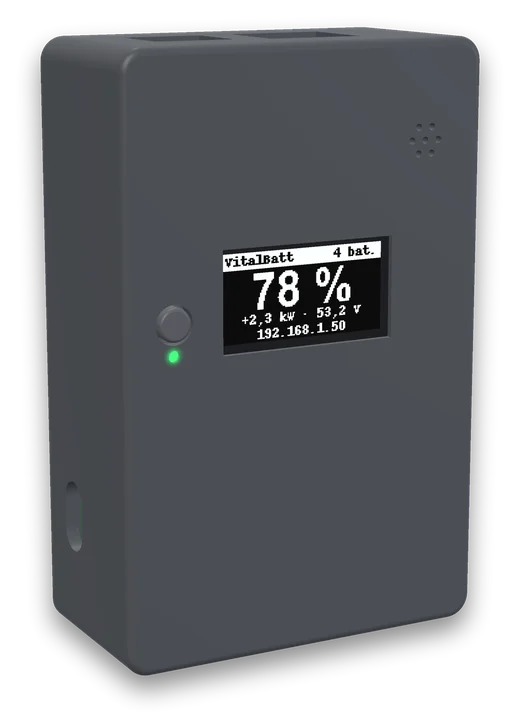
You have thousands of euros in batteries and hardly any information: a Bluetooth app that only works within two metres, a manufacturer's cloud, or a percentage on the inverter that isn't always true.
“The battery shut off at 4 %… and last night it said 30 %.”
VitalBatt shows you every cell and the spread between them, and warns you when something drifts, before it shuts off.
“I have three batteries in parallel and one works less than the others.”
It compares how the load is shared and how each BMS is configured, and tells you which setting differs and where.
“My data lives in the manufacturer's cloud, when it works.”
Everything stays at home: on its own web page, in your Home Assistant and on your Telegram. No mandatory accounts.
“If the internet goes down, who's going to tell me?”
The device's buzzer and screen warn you without a network. And if the whole house loses power, the optional cloud writes to you.
No need to touch the battery or the inverter: VitalBatt only listens and asks, just like the manufacturer's own software.
It sticks to the battery with magnets and connects to the communication port with an RJ45 network cable. It's powered over USB-C, independently of the battery.
The first time, the screen shows a QR code: scan it with your phone to open its web page. Pick the brand and your Wi-Fi (or plug in a network cable), and set a password.
Your batteries are on its web page (also at vitalbatt.local), they show up in Home Assistant on their own and, if you like, it messages you on Telegram.
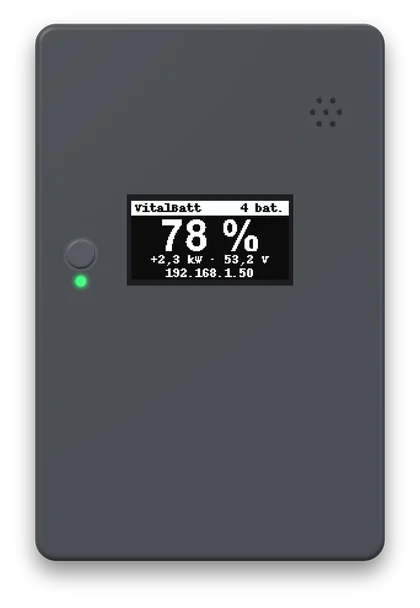
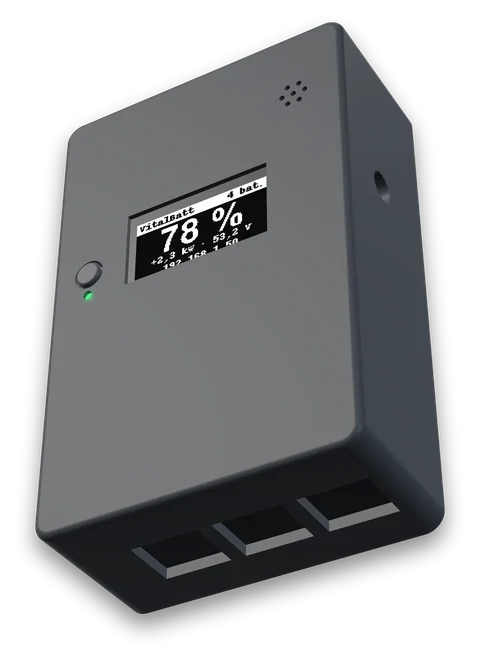
A purpose-designed board inside an enclosure that sticks to the battery with magnets. No screws, no DIN rail, no junction boxes.
Prototype images, rendered from its 3D model. The final enclosure may change in some details.
VitalBatt has its own web page built in: nothing to install, no Home Assistant and no internet needed. Open your browser and there's your battery bank.
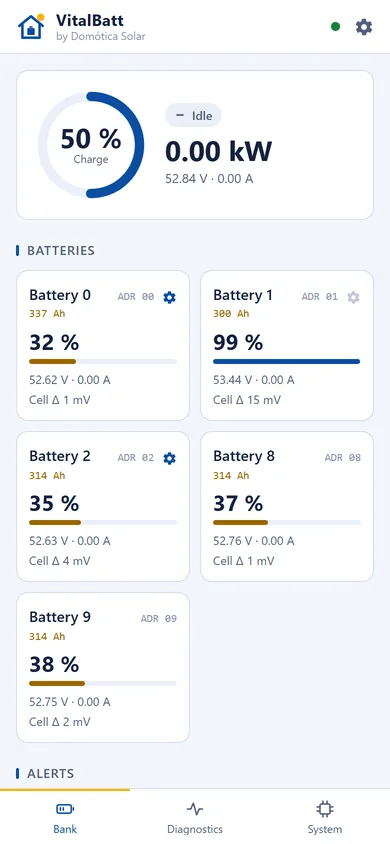
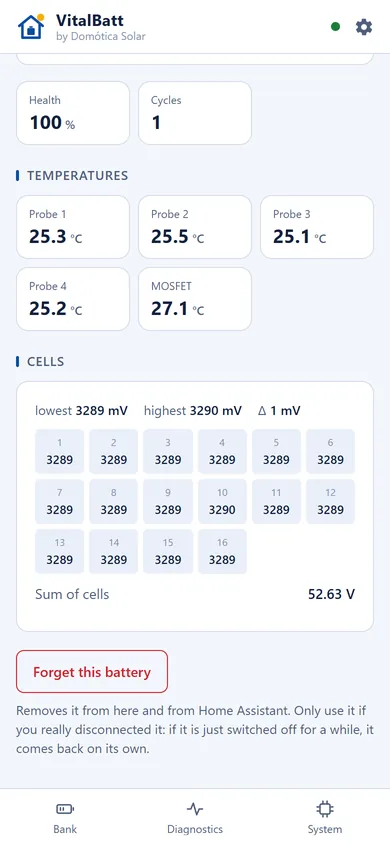
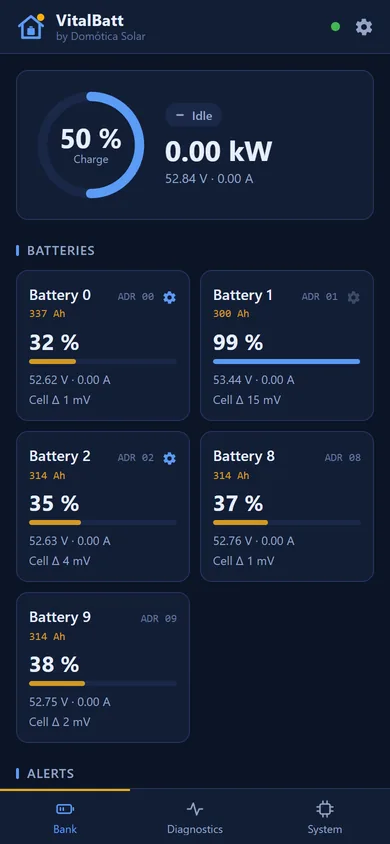
Every cell voltage, the highest, the lowest and the spread. Temperatures, health and cycles, whatever your brand provides.
Serious ones repeat after 5, 15 and 30 minutes and then hourly, until you press “Seen”. Not one more.
If one battery's protections are set differently from the rest, it tells you which setting and on which one: red for what matters, yellow for minor ones.
Spots the battery that charges or discharges less than the others: a loose terminal, a fuse, or a battery that's ageing.
Alerts, questions (“how's the battery?”) and a daily summary. The bot is yours: the data never goes through any server of ours.
If the bus goes quiet, values are marked unavailable. It never leaves a stale value hanging as if it were good.
“Save report” and “Save bus capture” download a file you can look at before sending it. No passwords inside.
The web page, the screen and what reaches Home Assistant, in the device's language. With a name for each battery.
It leaves the factory with no password and can't be used until you choose one. The button resets it.
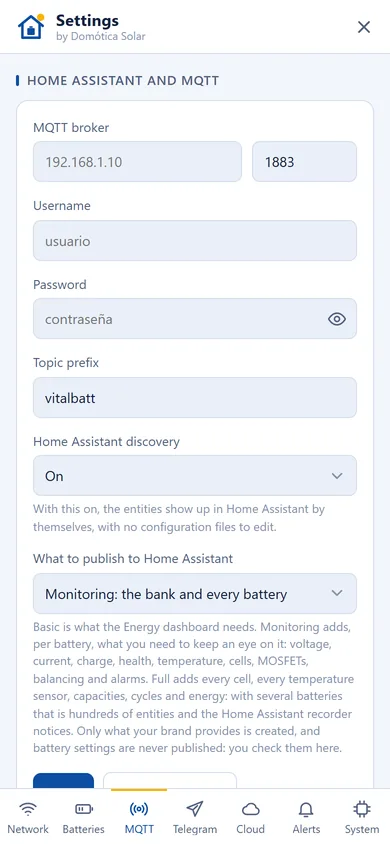
VitalBatt publishes over MQTT with Home Assistant discovery: enter your broker's details and the entities appear on their own, without editing a single configuration file.
A device connected to something that stores so much energy should be boringly safe. This one is.
VitalBatt reads the BMS and never writes to it. No feature, not from Telegram and not from the cloud, changes a setting of your battery.
Every version is signed (RSA-3072) and the device only installs what carries our signature.
They install themselves between 3 and 5 am, when a minute without readings goes unnoticed. If one goes wrong, it rolls back on its own. Rather decide yourself? There's a switch.
Updates and safety alerts never depend on paying for anything. Ever.
Nobody on your network gets into its settings without the password you choose on day one.
What each version brings, for everyone to see.
Everything above works without a cloud, an account or a fee, forever. The cloud is optional and adds what can only be done from outside your home.
Cloud pricing will be announced here. Go to the cloud →
Illustrative example of the alerts.
If you install batteries, VitalBatt saves you trips and “how's my battery doing?” calls. And it helps you leave every installation right from day one.
The installation belongs to your company, not to one person: all your technicians see the same installations.
Whatever has alerts comes first. Filter by customer, town, province or tag.
If a customer's device goes silent, the alert reaches you as well as the owner.
Record the customer's name your way, plus tags and notes. The owner's email isn't shown.
When mixing batteries, VitalBatt compares their settings and tells you which one is configured differently before you leave.
Your customer sends you the report or a bus capture in two clicks, no VPN, no software.
No. VitalBatt has its own web page with every detail, on your phone and your computer. Home Assistant and Telegram are optional.
Not to read your batteries, see its web page or feed Home Assistant: all of that happens inside your home. The internet is only needed for Telegram, updates and the cloud.
No. VitalBatt only reads: it asks the BMS just like the manufacturer's software would, and it never writes any setting.
Today: JK, Daren / Docan, JBD (such as Datouboss) and Seplos 3.0 over RS485, and Deye over CAN. Each brand is added once it has been verified on real batteries, at rest, charging and discharging.
On Seplos 3.0, VitalBatt listens on the parallel port, so you need at least two batteries.
Get in touch. To add a brand we need to listen to its bus, and VitalBatt can save a capture to a file you can send us.
A whole bank per port: we've tested it with banks of up to eight batteries. With two different brands, each goes on its own port. If you need more, add another device.
Because a device that warns you about a failing battery can't depend on it: if the BMS shut off, it would go dark exactly when it needs to speak.
Not for anything local: the web page, Home Assistant, Telegram, alerts, the screen and updates. Only the cloud, which is optional, will be paid, and we will never take a local feature away to put it behind a paywall.
Without internet, the buzzer and the screen keep warning you. If the device goes off, Home Assistant knows straight away. And if the whole house loses power, only someone outside can tell you: that's what the cloud is for.
The hardware is ready for it (both CAN ports), but VitalBatt ships read-only. Those features will be switched on later, and only once they've been thoroughly tested.
We're finishing the prototypes. Pricing will be announced here: if you're interested, get in touch and we'll let you know.
Tell us which batteries you have and what your installation looks like. If you're an installer, even better: we'd love to talk to you.